
Text
The Text tool writes text in a pixel font.
Placing text
A tap places the text and shows it as a preview. Dragging the text moves it; a tap outside it moves it to the tap. Apply draws it and Cancel discards it, as do Edit ▸ Apply Preview (⌘↩) and Edit ▸ Cancel Preview (Esc). Apply needs at least one character.
Text settings
The toolbar’s Text settings opens Pixel text.
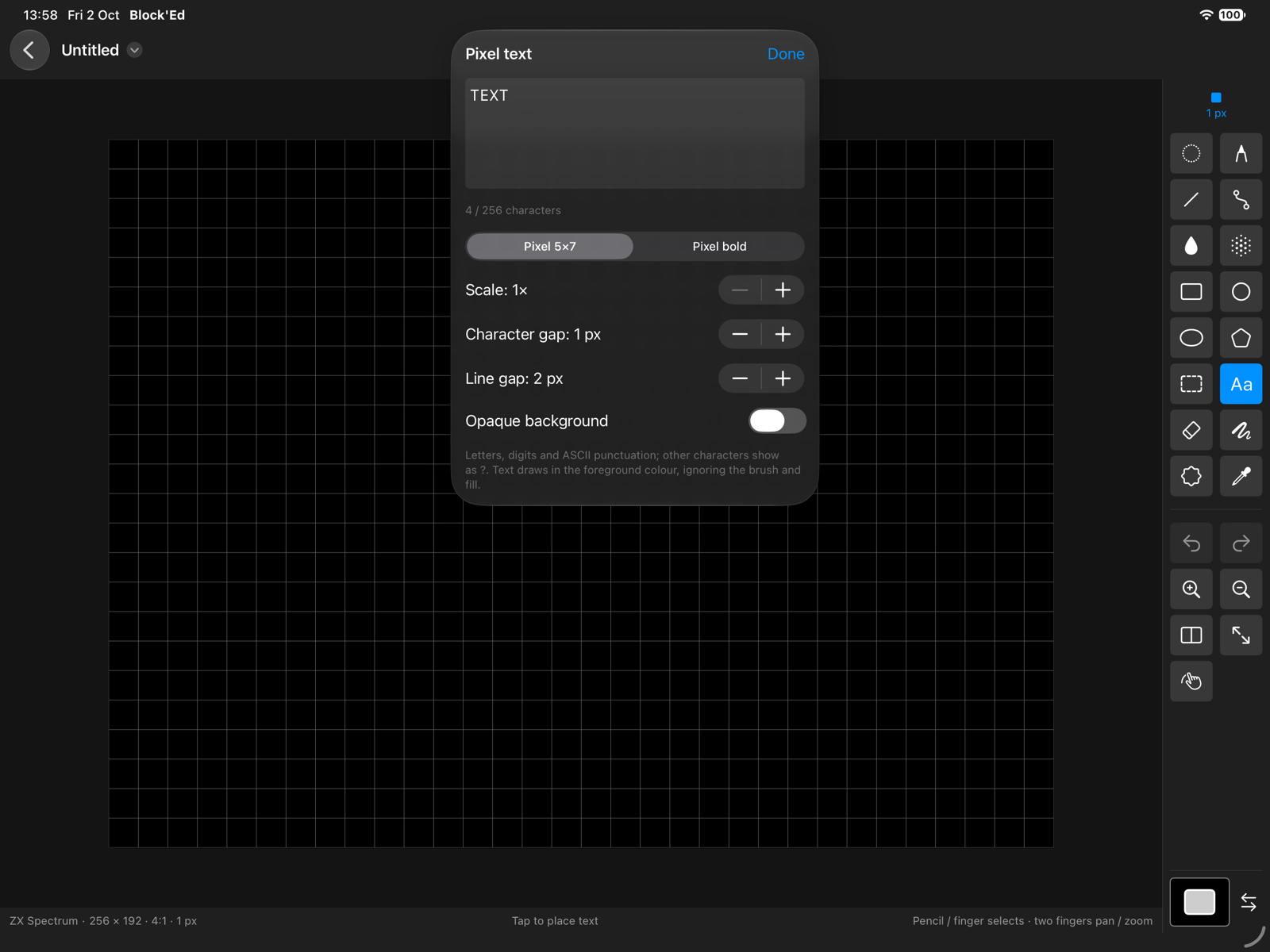
| Control | Sets |
|---|---|
| Text | up to 256 characters |
| Font | Pixel 5×7 or Pixel bold |
| Scale | 1× to 8× |
| Character gap | 0 to 8 pixels between characters; 1 to start |
| Line gap | 0 to 16 pixels between lines; 2 to start |
| Opaque background | paints the background behind the text: PAPER in an attribute mode, the background colour in other modes |
A character the font has no glyph for is drawn as ?.
← User Guide · Next: Drawing Helpers »