
Importing Images
Import Image… turns a picture into a new Block’Ed document: fitted to a canvas, reduced to the mode’s colours, and cut into tiles or sprites when asked.
Starting an import
iPad only: Import Image… on the launch screen opens the file picker. With a document open, File ▸ Import Image… (⇧⌘I) closes it and returns to the launch screen.
Mac only: File ▸ Import Image… (⇧⌘I) opens a new document and the file picker.
Block’Ed reads PNG, JPEG, GIF, HEIC, BMP and TIFF. Each image of an animated GIF, an animated PNG or a multi-page file is a frame. A pixel less than half opaque is transparent. A picture whose frames differ in size is refused with The picture’s frames are different sizes.
The import always makes a new document. Cancel in the options sheet leaves that document blank, in the mode last chosen for a new document.
Options
The Import Image sheet shows the picture’s size, and its frame count when it has more than one. The Result section previews the document as the options change.
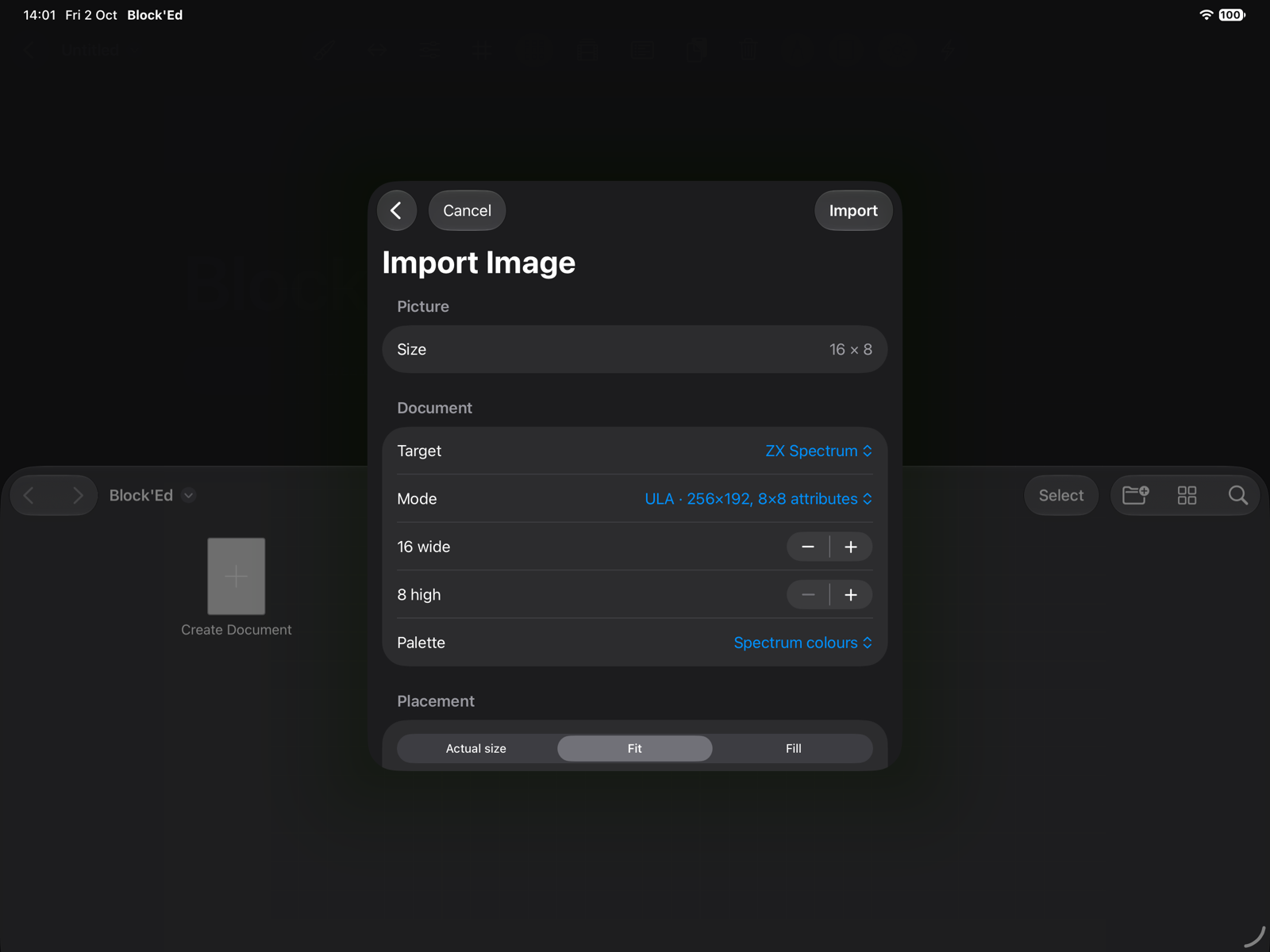
| Control | Sets |
|---|---|
| Target, Mode | the machine and mode, as for a new document |
| Width, Height | the canvas size; starts at the picture’s size, rounded up to whole steps |
| Palette | ULA and Hi-Colour on a machine with ULA+: Spectrum colours or ULA+ |
| Placement | Actual size, Fit or Fill |
| Scaling | Nearest or Smooth |
| Cut | sprite and tile modes: Single image, or Cut into patterns |
| Width, Height of each pattern | when cut: tiles in steps of 8, sprites in steps of 16 |
| Assets | sprites, when cut: One asset or One asset per row |
Import opens the result as the document.
Placement and scaling
| Placement | Places the picture |
|---|---|
| Actual size | unscaled at the top-left corner, cropped or padded |
| Fit | scaled to fit inside the canvas and centred, with transparent padding |
| Fill | scaled to cover the canvas and centred, cropped |
Nearest takes the picture’s pixel under each canvas pixel, which keeps pixel art sharp at whole-number scales. Smooth averages the area each canvas pixel covers, which suits photographs.
In Layer 2 16 colours with half-width pixels and in Hi-Res, the canvas starts twice the picture’s width, so the picture keeps its shape.
Colours
The picture is reduced to colours the mode can show, each pixel taking the nearest. There is no dithering.
- Palette modes get a palette made from the picture’s colours, up to 256 or 16 entries, each fitted to the Next’s 512 colours. A picture of no more colours than the palette holds, already in those colours, is reduced with no change.
- 4-bit sprites and tiles group the patterns into up to 16 banks of 15 colours each, the 16th being the transparent value, and give each pattern its bank.
- ULA and Hi-Colour choose, for each cell, the INK, PAPER and BRIGHT that match the cell’s pixels most closely. With ULA+, the 64 registers are made from the picture first.
- Hi-Res chooses the ink, and its complement as paper, that match the whole picture most closely.
A transparent pixel takes the mode’s transparent value in a sprite or tile mode. In a palette mode with no transparent value, the last palette entry becomes the transparent index. In an attribute mode a transparent pixel is PAPER.
If a cell of the picture is the Spectrum’s red and white only, it imports as INK 2, PAPER 7, BRIGHT off, with every pixel as it was.
Tiles
With Cut into patterns in 4-bit tiles, the canvas is cut into tiles of the chosen size, left to right and then top to bottom, and each distinct tile is kept once. A tile that matches a kept one when mirrored, rotated, or both, is not kept again. The document holds the distinct tiles in the order first found, as many to a row as the canvas had.
The Patterns line reports the count in 8 × 8 hardware tiles against the Next’s capacity; see Hardware Limits. Where tiles sat in the picture is not kept.
If a picture is 16 × 8 and its right half is its left half mirrored, it imports as one 8 × 8 tile.
Sprites
With Cut into patterns in 4-bit or 8-bit sprites, the canvas is cut into cells of the chosen size. One asset makes every cell a frame of one asset; One asset per row makes each row of cells an asset. A wholly transparent cell is skipped, and a cell matching an earlier one in the same asset, in any orientation, is skipped.
An animated picture becomes the frames of one asset, with the picture’s first frame delay as the asset’s delay.
A 48 × 32 sheet of six different sprites imports as one asset of six frames, or as two assets of three.
← User Guide · Next: Exporting »